The short answer
To make your own karaoke track, use AI vocal separation software. Install Beltr, add a song you own, and its on-device AI takes out the lead vocal in a minute or two, with nothing uploaded. The lyrics sync to the music by themselves, so you can put the song on your TV and sing, or export it for a karaoke machine. How clean it sounds depends on the song’s mix.
Make a karaoke track in five steps
Install Beltr
Download Beltr for a Mac with Apple Silicon, for Windows or for Linux. It runs the AI on your own machine, so the song is never uploaded to a server, and it’s a one-time purchase rather than a subscription.
Add a song you own
Import an MP3, FLAC, WAV or MP4 from your own library. You aren’t limited to whatever a catalog has licensed.
Let the AI remove the vocals
Beltr’s on-device AI (MDX-Net) separates the lead vocal from the instrumental in a minute or two: quicker on Apple Silicon, longer on an older PC that only has a CPU. You keep both halves, the instrumental and the vocal on its own.
Let the lyrics sync
Beltr looks the lyrics up on LRCLIB. When there’s no match, an on-device speech model writes them out from the song. Either way every word is timed, so the lyrics light up in step with the singer. Beltr also maps the pitch for scoring and reads the key.
Sing on your TV or export
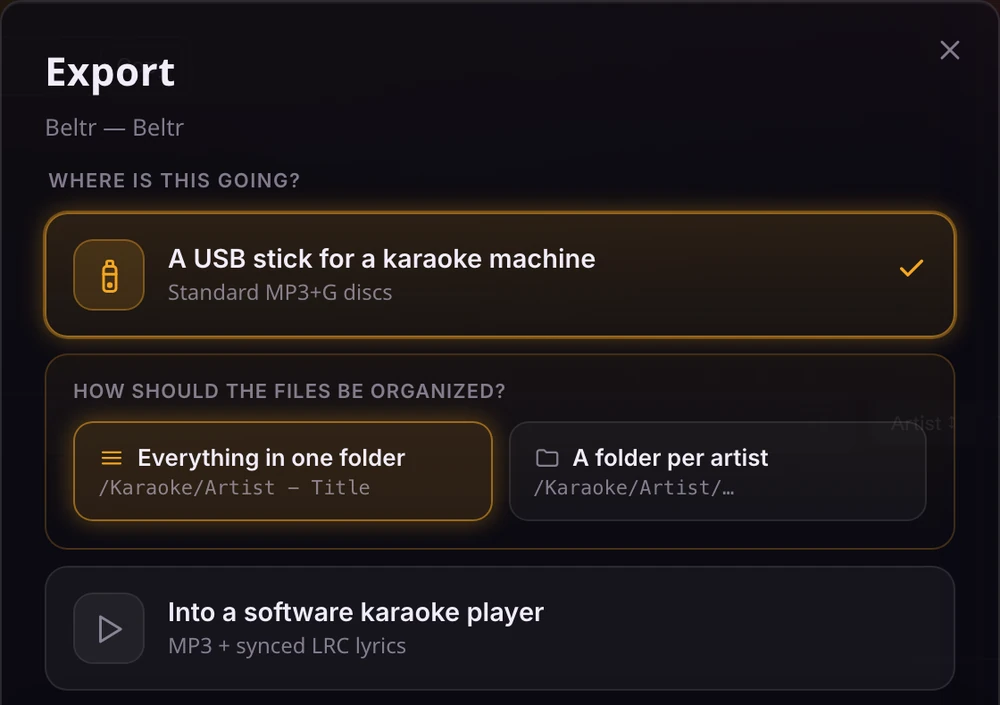
Put the song on your TV and let guests join from their phones as remotes and mics, or export the finished track as MP3+G, CDG or
.karfor a karaoke machine.
How well does it actually work?
AI separation is far better than the old tricks that strip out whatever sits in the middle of a stereo mix, and on a well-recorded song the karaoke track can sound very clean. It isn’t magic. Densely layered, heavily processed or lo-fi songs are harder to separate than a clear studio recording, and you may hear faint traces of the vocal. You can also keep a little of the vocal on purpose, as a guide: the vocal and instrumental faders stay live while the song plays. The first 5 songs are free, so you can make karaoke from the songs you actually want to sing before you pay anything.
Making tracks for a party
If you’re preparing songs before people arrive, queue them all at once. Beltr works through them one at a time and shows the stage each song has reached by name. Each song is handed over as soon as it can be sung, so you can start the night while the rest of the batch is still going. Beltr also arrives with one song already prepared, so you can test the TV and the phones straight away.
Keep the track, or take it elsewhere
Every song Beltr separates gives you both stems. If all you want is the instrumental, how to remove vocals from a song covers that side on its own. If you own a karaoke machine, export the song as MP3+G, CDG or .kar. The MP3+G export guide explains the options, from USB stick folder layouts to a guide-vocal mix.
Why do it on your own computer
Most online karaoke makers want your file uploaded and a payment every month. Beltr runs the AI on your device, so your music never leaves your computer, there’s no per-song limit, and it keeps working offline. It costs $19.99 once, with no account; KaraFun Premium, by comparison, is $9.99 a month. Beltr vs KaraFun sets the two side by side.