The short answer
Beltr is a desktop app that removes the vocals from songs you already own, using AI on your own computer, with nothing uploaded. It costs $19.99 once. PhonicMind is a subscription cloud tool, with Basic at $4.99 a month and Pro at $9.99 a month: you upload your file and it exports separated stem and instrumental files in your browser. Choose Beltr to pay once, keep your audio on your own machine and get a whole karaoke night. Choose PhonicMind if you only need stem files exported from a browser, with nothing to install.
Nothing to upload, nothing to renew
Cloud tools process on someone else’s machine, so your file goes up first, and PhonicMind works that way. Beltr runs its AI, UVR MDX-Net on ONNX Runtime, on your own computer. Your audio never leaves it, and there’s no account to create. A typical song takes a minute or two: quicker on an Apple Silicon Mac, longer on an older PC with only a CPU.
That also means it works without the internet. A web-based tool needs a connection to upload and process each file. Beltr’s whole engine ships inside the installer, so once it’s set up, separation needs no connection at all.
And you pay once. PhonicMind renews at $4.99 a month or $49.99 a year for Basic, and $9.99 a month or $99.99 a year for Pro. Beltr is $19.99, with lifetime updates, one license for 2 devices, and a full refund within 14 days if it isn’t for you.
More than a stem file
PhonicMind hands you back separated stem and instrumental files, and what you do with them next is up to you. Beltr gives you both stems too, the instrumental and the vocal on its own, and then keeps going. It syncs the lyrics word by word, maps the pitch and reads the key, so the song is ready to sing as soon as it’s done.
Put it on the TV and the words light up in time, with a room code and QR code on screen. Guests scan it and every phone in the room becomes a remote and a mic, with nothing to install. Live pitch scoring puts each singer on a leaderboard, and the vocal and instrumental faders stay live while the song plays.
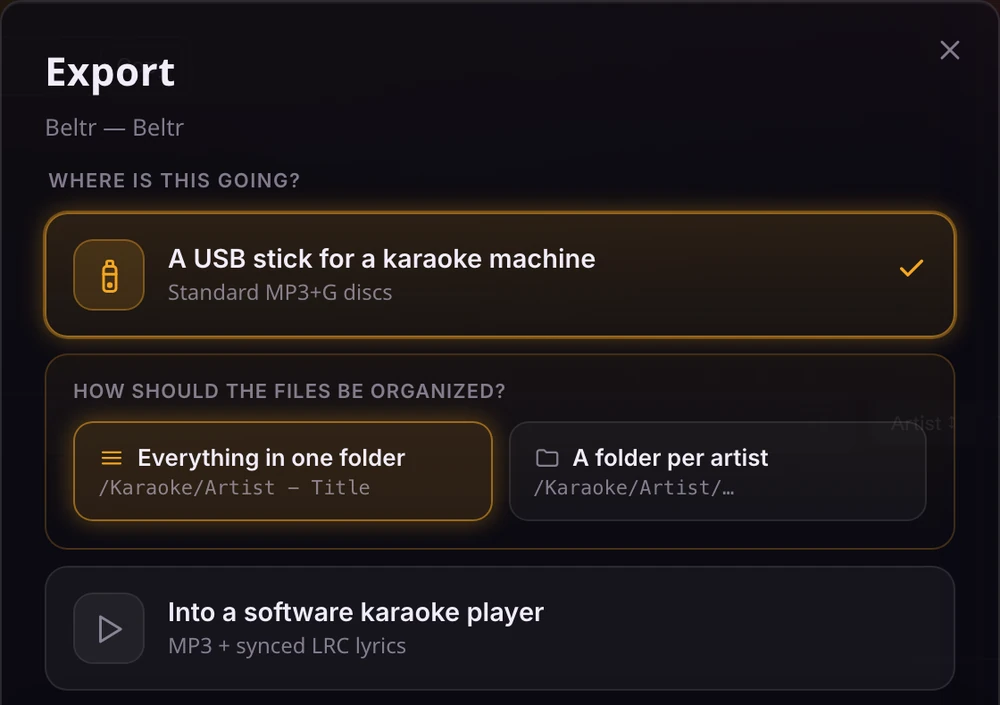
If the song is headed for a karaoke machine instead, export it as MP3+G, CDG or .kar, and keep the result in your own library.
What to expect from the separation
AI separation is far better than the old tricks that cancel out the middle of a stereo mix, and on a well-recorded song the instrumental can sound very clean. It isn’t magic, though. Densely layered, heavily processed or lo-fi tracks are harder to separate than a clear studio recording, and you may hear faint traces of the vocal. That’s why Beltr lets you lower the vocal instead of removing it, and why the first 5 songs are free: try your own songs on your own machine before you pay.
To hear it first, drag the slider on the vocal remover page, which takes the singer out of Beltr’s own theme song. For the full process, step by step, read how to remove vocals from any song.