What you can take with you, and what stays
Two things come across. Your own files come across whole: a CDG or MP3+G collection, .kar and .mid files, and any MP3, FLAC, WAV or MP4 you own. Your lists come across as text: KaraFun exports favorites, playlists, the queue and History to a CSV file, which is a fine shopping list.
The recordings stay. KaraFun’s catalog is licensed to KaraFun, and its terms say the music and lyrics cannot be downloaded, transferred or copied. No app can move them, and Beltr doesn’t try. If a song you love exists only in their catalog, you’ll buy it as a plain file and let Beltr make the karaoke version.
Step by step
Export your KaraFun favorites
In the KaraFun desktop app on Windows or Mac, right-click Favorites, a playlist, the queue or History and choose Export, or select songs and use File, then Export selection. KaraFun writes a comma-separated CSV with quoted text. If your spreadsheet asks, KaraFun says to pick the Western Europe character set. Keep the file; the rest of this guide uses it.
Install Beltr and add your disc folder
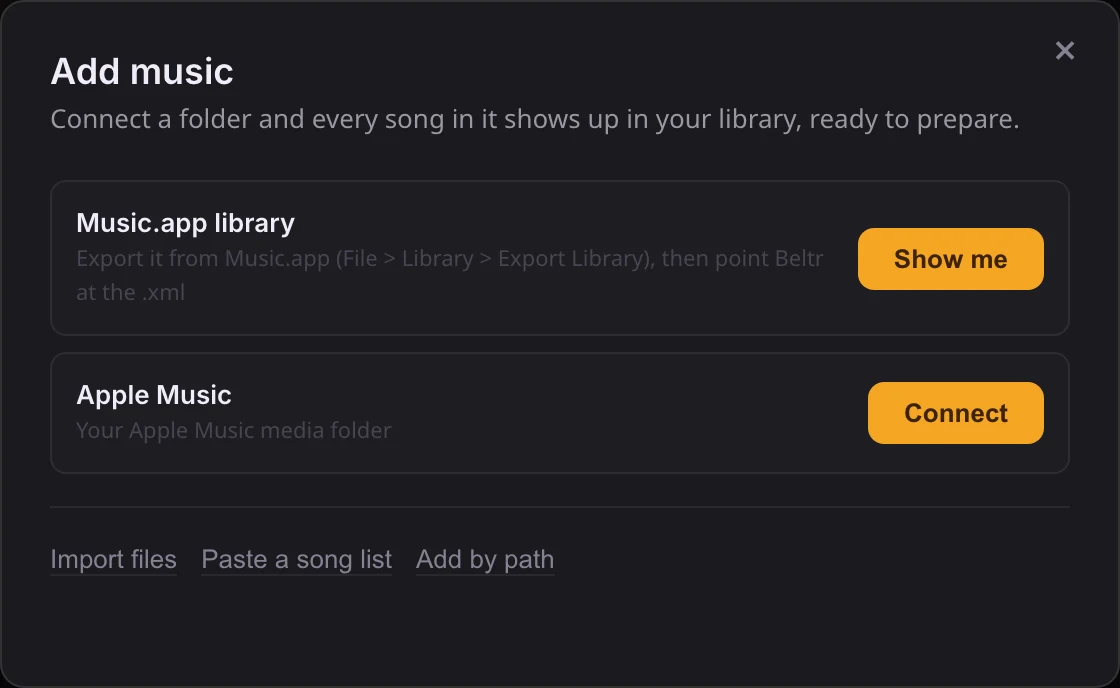
Download Beltr for Mac, Windows or Linux and open Add music. Point it at the folder that holds your karaoke files. CDG and MP3+G pairs, zipped MP3+G,
.kar,.midand Thai NCN files import as they are, with the lyrics and timing read from the file, so there’s no AI step and nothing to wait for. Older discs with legacy text encodings display properly.Buy the songs you still want, as plain files
Open the CSV in a spreadsheet, strike out what you already own, and buy the rest from a store that sells DRM-free files, such as the iTunes Store (AAC) or Qobuz (FLAC). A track downloaded from a streaming subscription is protected and won’t work; a purchased track will. Drop the downloads on Add music and Beltr removes the vocals, finds and times the lyrics, and marks each song ready, a minute or two apiece.
Put the TV and the phones back together
Connect the computer to the TV with an HDMI cable, or install the free Beltr Client on an Apple TV, Android TV or Google TV. The TV shows the lyrics, a room code and a QR code. Guests scan it and their phones are remotes and mics, over your own Wi-Fi, with nothing to install. There’s no guest cap and no internet needed in the room.
What changes on the night
Most of the evening works the way it did. Lyrics on the TV, a queue the room fills from their phones, key and tempo controls, a vocal fader for a guide, and a score for every singer.
A few things are different, and better. Scoring runs on every song, not a mode: a pitch bar on the TV shows the notes, the room keeps a leaderboard, and duets score both mics. The phones never leave your Wi-Fi, so the party doesn’t depend on the internet or on a subscription staying active. And the whole setup costs $19.99 once, where a year of KaraFun Premium is $119.88 at the monthly rate checked in October 2026.
A few things are gone, and you should know before you pay. There is no catalog: Beltr sings what you own. KaraFun’s tracks are studio re-recordings with backing vocals and a vocal guide; Beltr’s instrumental is the original recording with the vocal taken out by on-device AI, very clean on a well-recorded song and less so on a dense mix, which is why the vocal fader exists. KaraFun’s Vocal Match, which suggests songs for your voice, has no direct equivalent, though Beltr learns a singer’s range over time and suggests a key. If a venue licence matters to you, KaraFun Pro has one and Beltr is a home product.
Why the switch pays for itself
Two months of KaraFun Premium is the price of Beltr, and after that the arithmetic only goes one way. Beltr is $19.99 once, updates included, one license on 2 computers, no account, and a full refund within 14 days if it isn’t for you. The songs you buy as files are yours to keep, play anywhere and export as MP3+G for a karaoke machine. Nothing about your library can be removed, renamed or re-licensed out from under you.
If you’d rather see the two apps side by side first, Beltr vs KaraFun lays out price, catalog, scoring, phones and offline use in one table. For the TV and mic setup in detail, see home karaoke on your TV.