A karaoke night, screen by screen
Every image here is the shipping app, captured as it runs: no mockups and no renders. This is the whole path from “where’s my music?” to a room full of people singing.
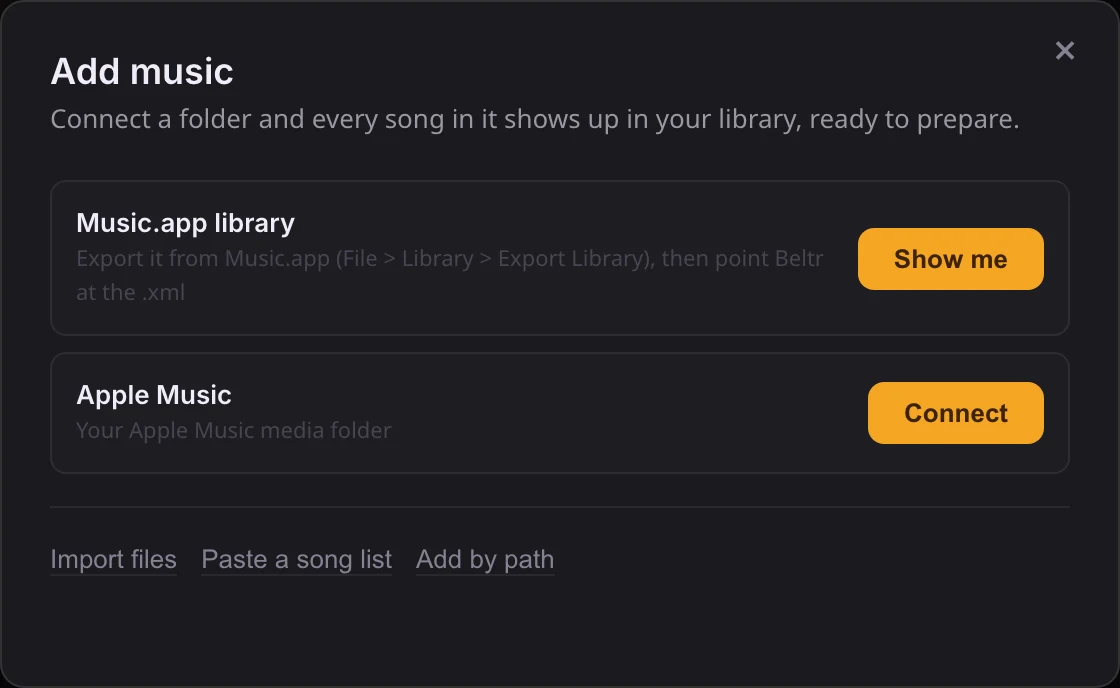
Point it at the music you already have
Setup looks for your music by itself: your Music folder, an Apple Music library, a folder of karaoke discs. It offers each one as a single tap. Nothing is copied or converted, and your files stay where they are.
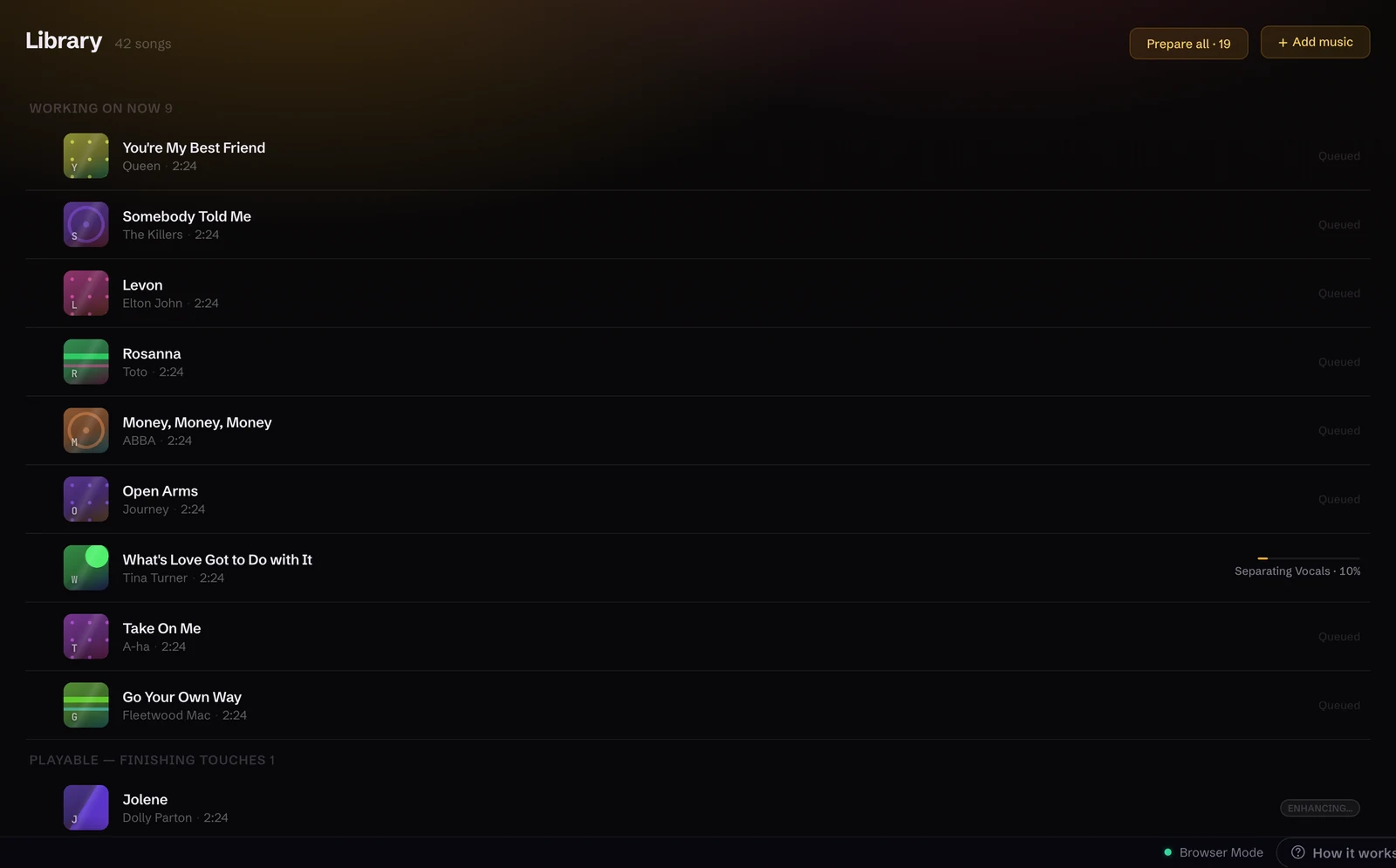
Your whole collection, sitting there
Everything in that folder shows up in Beltr, searchable by song, artist, album and genre. Prepared tracks carry an HD badge; the rest are one button away. There’s no separate karaoke catalog to buy from.

It prepares the songs by itself
The vocals come out, the synced lyrics arrive, the pitch is mapped and the key read, on your own machine, one song at a time. You see named stages instead of a spinner, and a song is yours as soon as it’s singable while the finishing touches keep running.
The TV becomes the invitation
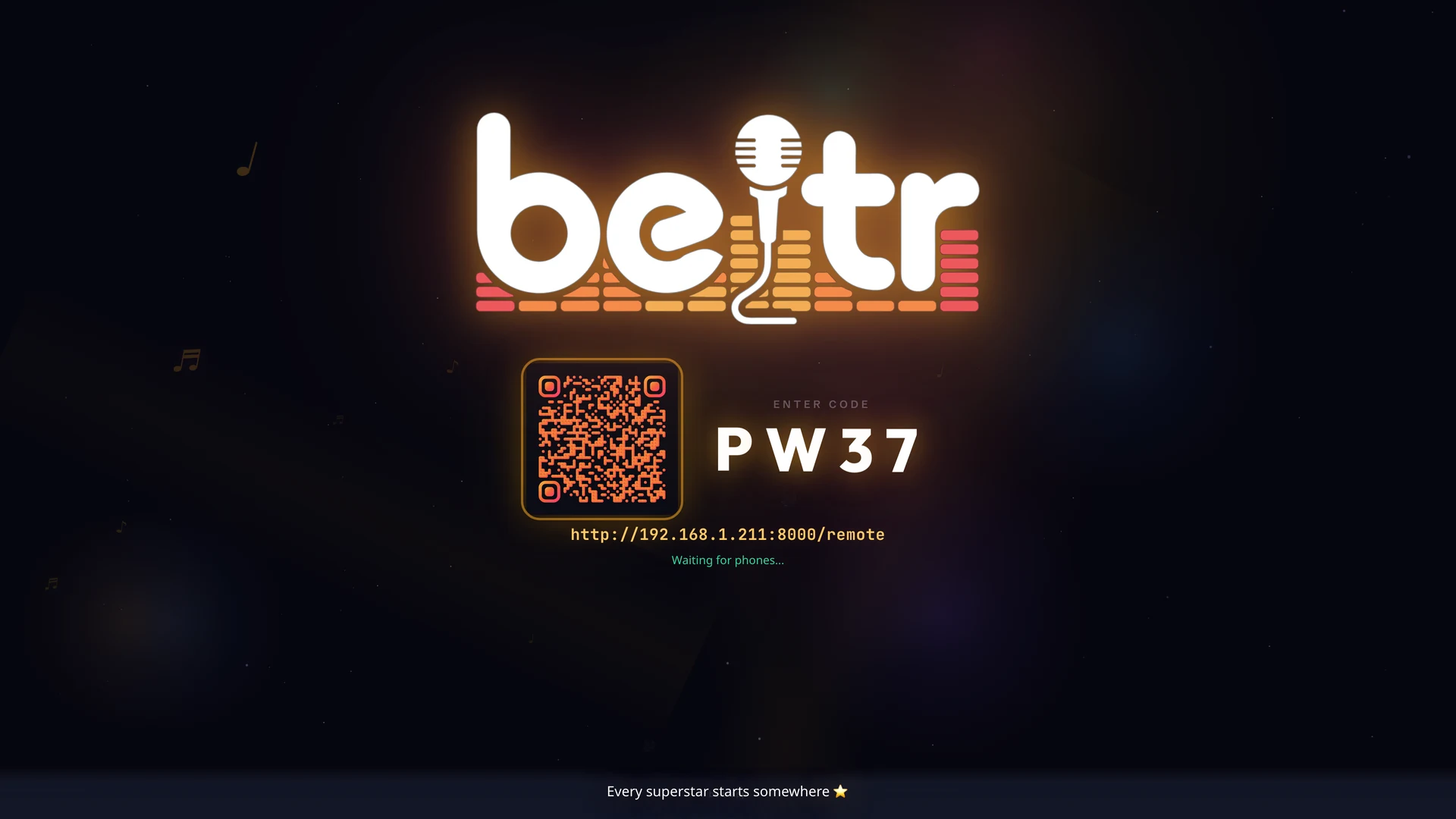
Open the big screen and Beltr starts a room, with a four-character code on the TV and a QR beside it. Guests scan it and they’re in, with no app to install, no pairing and no accounts.
Lyrics land on the big screen
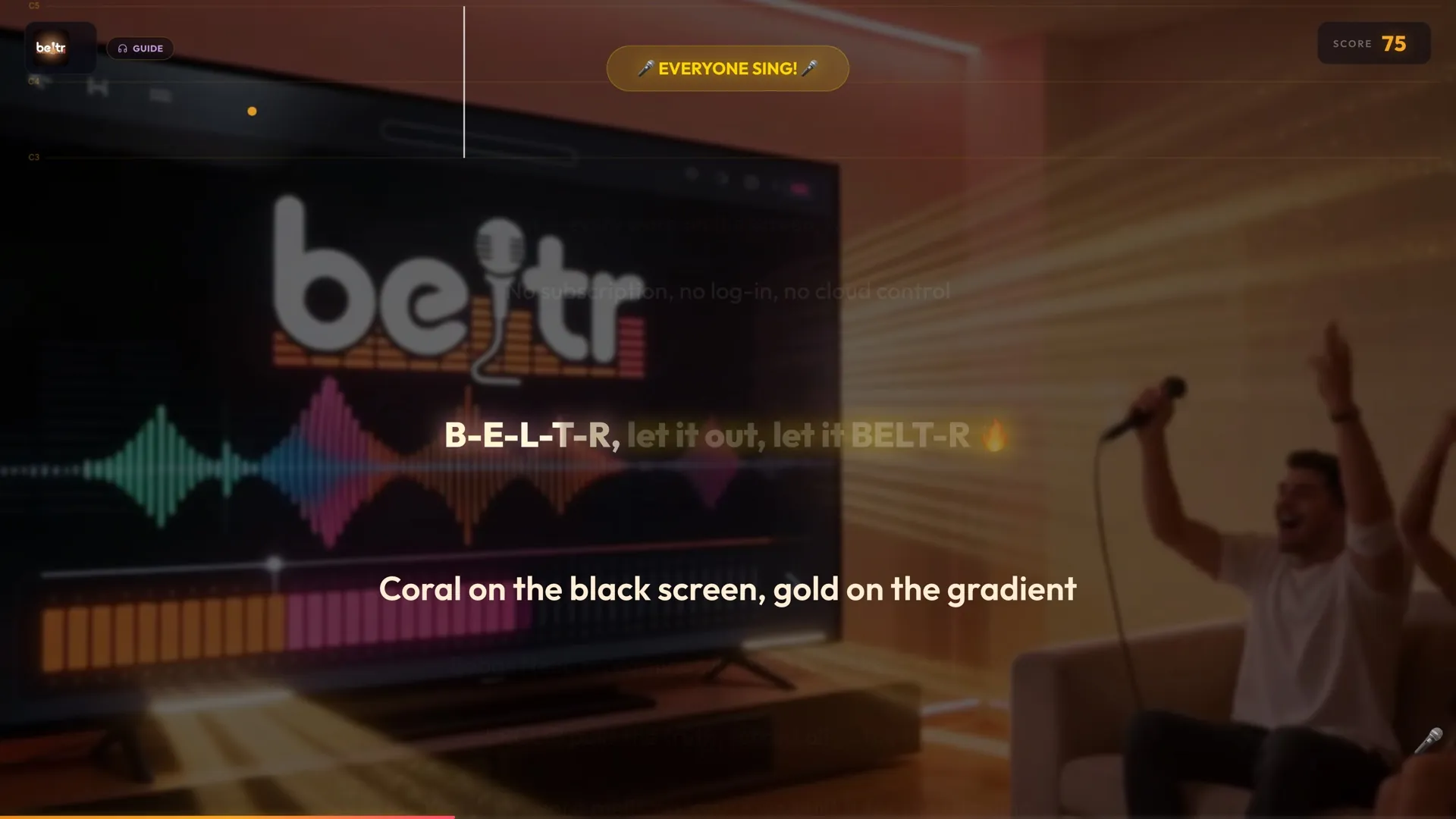
Word-by-word synced lyrics under a spotlight, with a countdown into every line so nobody comes in late.
And the room finds out who can sing
A live pitch bar shows the note you’re reaching for while your score climbs line by line. Pass the mic and let the leaderboard settle it.
Everyone runs the night from their pocket
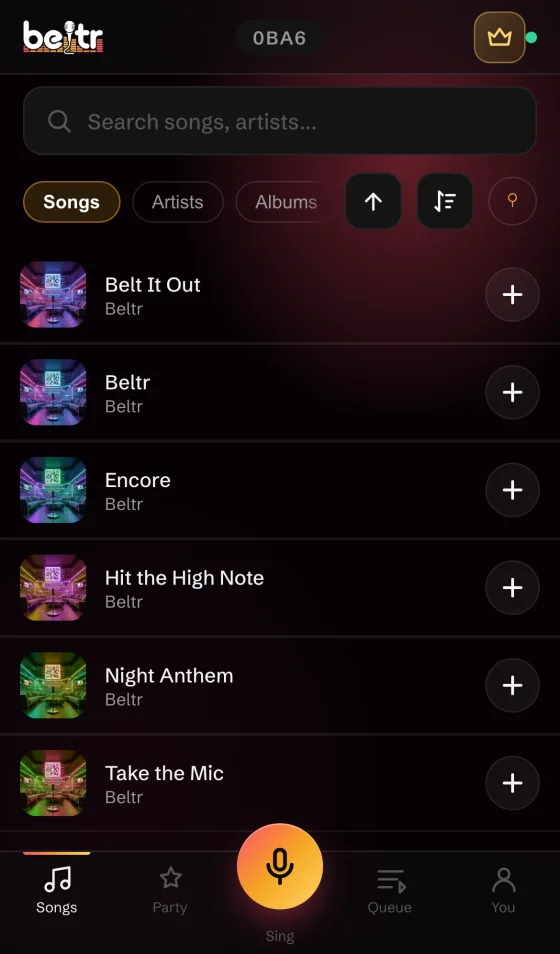
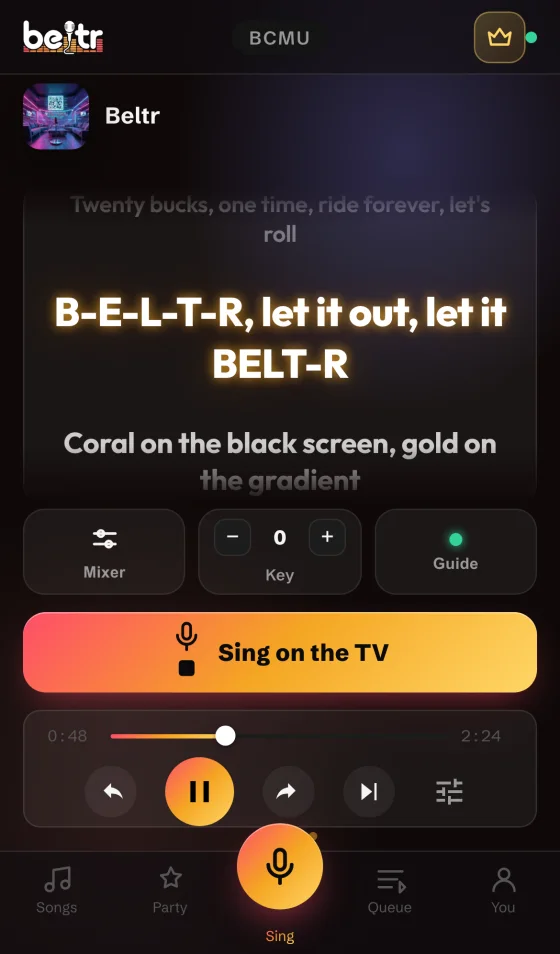
Phones browse the library, queue songs, fade the guide vocal and send reactions to the TV. With the free Beltr Remote app, the phone is the microphone too, with the lyrics and the score in your hand.
Then practice for the rematch
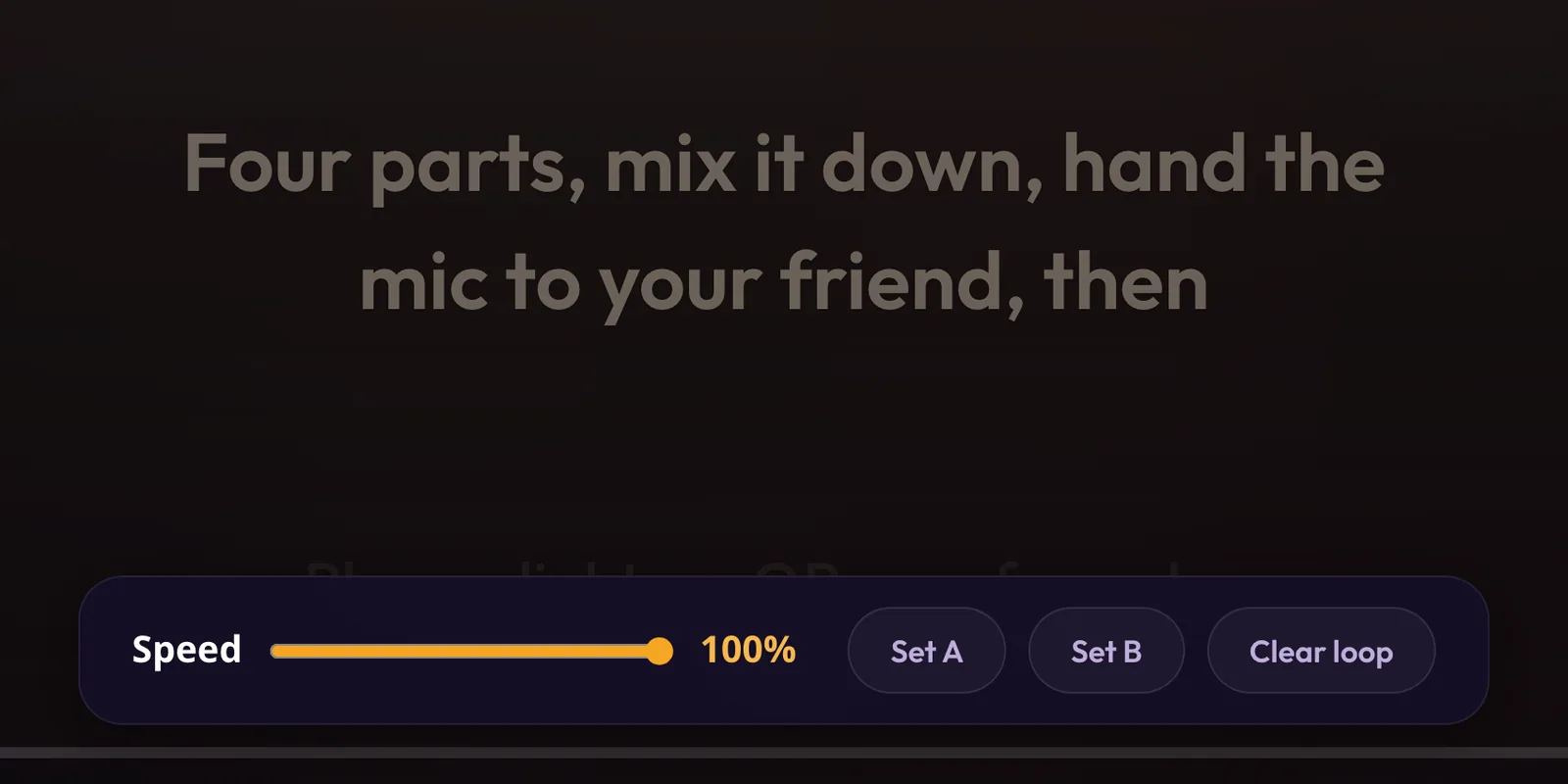
Drop any song to half speed without changing its pitch, loop the eight bars that keep tripping you up, and work on your weak lines in private. Nothing here reaches the party leaderboard.
Take the library with you
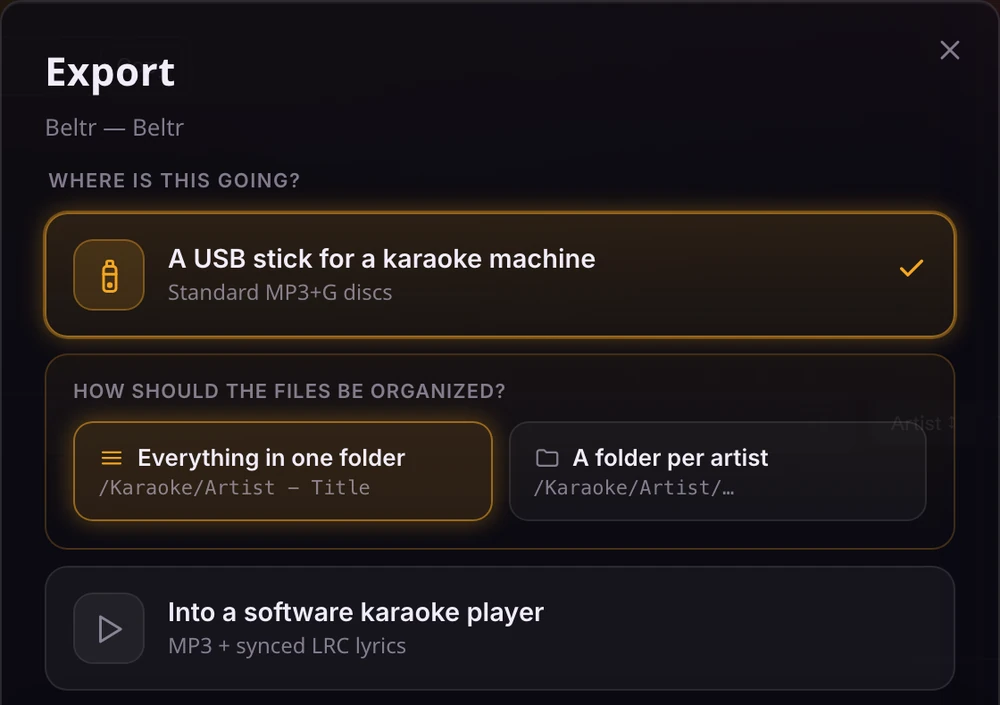
Export standard MP3+G for a hardware karaoke machine, or an MP3 with synced LRC lyrics for a software player. Beltr finds the USB stick and lays the files out the way the machine expects.
Watch the whole thing
The Beltr film, 2 minutes 24 seconds, sound on.